The Web UI
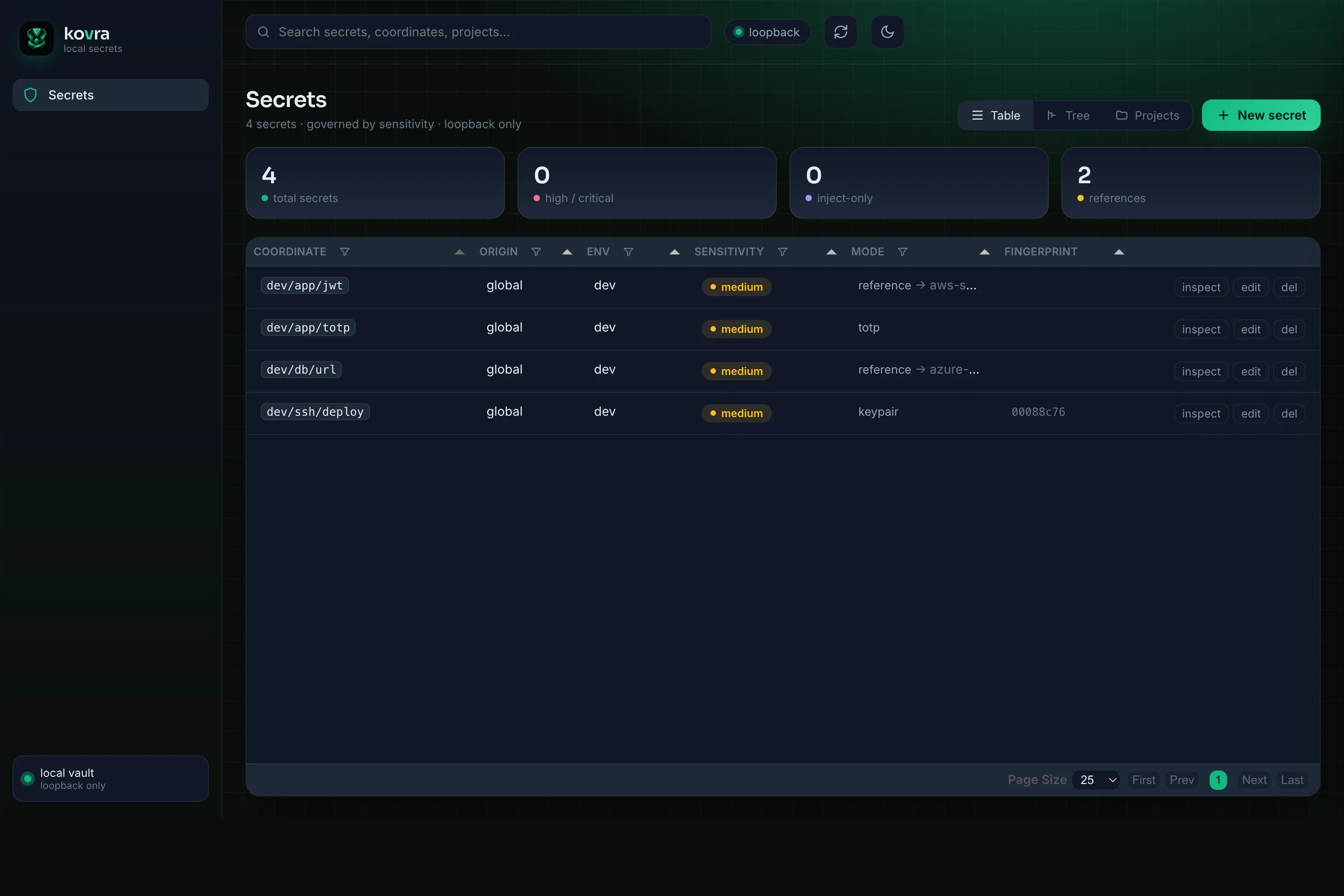
For when you’d rather click than type, kovra ships a small administration Web UI. It is on-demand and loopback-only — it isn’t a daemon, isn’t exposed to the network, and is governed by the exact same policy as the CLI and agents.
Launch it
Section titled “Launch it”kovra ui asks you to bioProve opening it (opening an admin surface is itself a guarded action), then binds
127.0.0.1 only, mints an ephemeral session token, and opens your browser:
~ % kovra uikovra ui → http://127.0.0.1:8731/?session=0bd48b80…(loopback only; ephemeral session; auto-shutdown after 300s idle or Ctrl-C)Windows — coming soon. The same model on Windows Hello + Credential Manager.
It shuts down on Ctrl-C or after an idle timeout (--idle, default 300s). Useful
flags: --no-open (just print the URL), --port, and --no-confirm (skip the
launch gate for dev/CI/Docker; also KOVRA_UI_NO_CONFIRM).
What it shows — and what it won’t
Section titled “What it shows — and what it won’t”The UI visualizes your vault by sensitivity: coordinates,
tiers, modes, projects, and metadata. Crucially, it never renders the plaintext
of a high or inject-only secret — those are shown masked, and the only way to
reveal them is a deliberate kovra show at the terminal. The same boundary that
protects an agent protects the page: a browser tab is just another surface, and
the policy treats it like one.
Running it in Docker
Section titled “Running it in Docker”Prefer a container? kovra ui --docker runs the Web UI from a published
kovra-ui image — Docker pulls it on first use, so there’s nothing to build
locally:
kovra ui --dockerIt keeps the same guarantees as the native UI: the master key reaches the
container only as a Docker secret in tmpfs (never baked into an image layer),
~/.vaults is mounted read-write, and the port is published on loopback only.
The launch is still gated by a bioProve unless you
pass --no-confirm. It needs Docker running on the host.